In preparationiPhone and iPad

APOUL ANSER VOICE

Say it, even without a voice.

An app for people who find speaking difficult: choose words from ready-made phrases or a kana board, and the device reads them aloud to the people around you. It works without an internet connection.
In preparationBeing prepared for release. Price and distribution will be announced once fixed.
APOUL ANSER VOICE app icon
iPhone and iPadAPOUL ANSER VOICE
  • Ready-made phrases and a kana board
  • Read aloud by the device
  • iPhone and iPad (iOS 17 or later)
Why this exists

When saying it out loud is the hard part.

Being unable to speak, or to move freely, should not mean being unable to say what you need. APOUL ANSER VOICE lets you pick or type words and has the device say them for you. It is not an emergency call system, a medical device or a nurse call, and pressing a button does not contact anyone automatically.

Screens

What it looks like.

Screens prepared for the App Store, in Japanese, with made-up sample data.
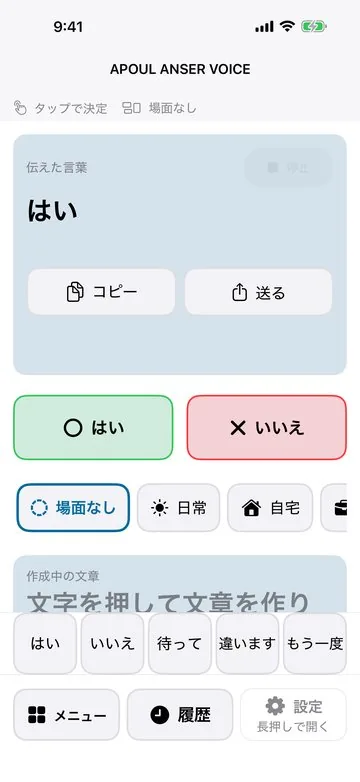
Home: tap the big Yes or No to have it spoken and shown large right away
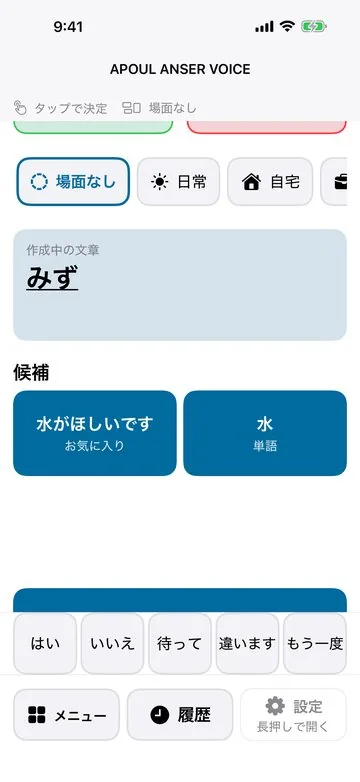
Kana board: while typing, a ready phrase appears and is spoken with one tap
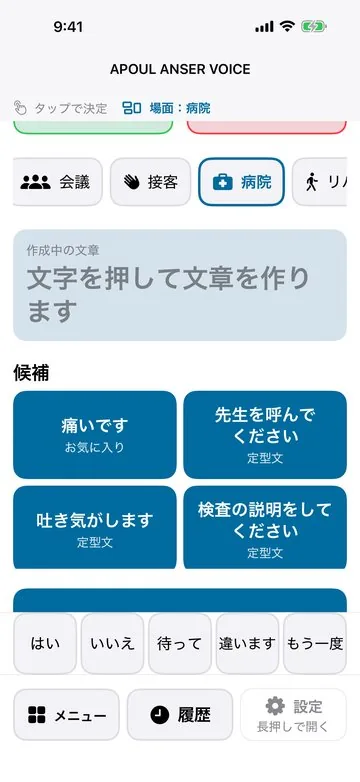
Pick a scene to see the phrases you are likely to need there (here: hospital)
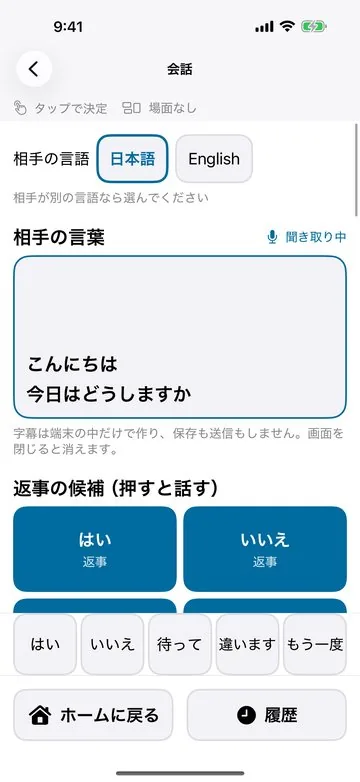
Conversation (Plus): the other person’s speech becomes captions on the device only, and you answer with one tap. Captions are not saved or sent
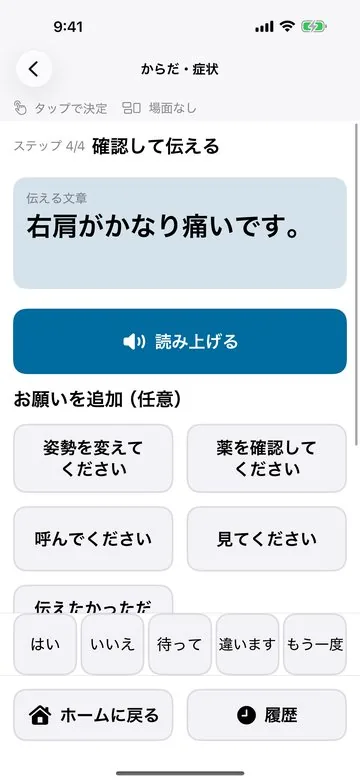
Body and symptoms: choose where and how it hurts to say it in a full sentence
What it does

What it does.

01

Ready-made phrases

Tap a ready-made phrase and it is read aloud.

02

A kana board

Build a sentence on a kana board and pick from suggestions.

03

Japanese and English

The screens and voice can be switched to English.

When you would use it

Situations, not features.

Everyday requests

Say what you need with one tap.

Longer thoughts

Put a sentence together on the board.

Saying it again

Repeat something from your history.

How it goes

The basic flow.

You should be able to guess the next step without reading a manual.

  1. 1
    Choose or type

    Pick a phrase or build a sentence.

  2. 2
    Read it aloud

    The device says it for you.

  3. 3
    Say it again

    Bring it back from your history.

Data and trust

Your words and history stay on the device.

What you type, what is read aloud, your phrases and settings are stored only on the device. APOUL runs no servers, and there is no account, no advertising, no usage analytics and no tracking. Conversation captions are made by on-device speech recognition only when you press Listen, and are neither saved nor sent. Text leaves the app only when you choose to copy it, send it or export a backup. See the privacy policy for details.

Questions

Common questions.

Yes. “The voice app” and APOUL ANSER VOICE are the same thing.
No. It is not an emergency call system, a medical device or a nurse call, and it does not contact anyone automatically.
No. It is in preparation for release.