In preparationApp for iPhone, iPad and Mac

APOUL Device Guard

Check scams before you tap, and keep an eye on your iPhone’s safety.

An app for checking suspicious texts, links, QR codes and phone numbers before you open them, and for pausing before a password or card number goes to a fake site. Spyware-trace checks and file scans run on the device alone; we run no servers. It is being prepared for release.
In preparationBeing prepared for release. Price, distribution and supported systems will be announced once fixed.
APOUL Device Guard app icon
App for iPhone, iPad and MacAPOUL Device Guard
  • Scam checks and device safety
  • iPhone, iPad and Mac
  • Coming soon
Why this exists

Noticed only after you tapped?

A missed-delivery notice, a card-payment check, a call from an unknown number. Scams arrive looking like the real thing. APOUL Device Guard gives you a moment to stop before you open or send, and puts the right help lines in reach if you think you were fooled.

Screens

What it looks like.

Screens show sample data from a development build, in Japanese, and may change before release.
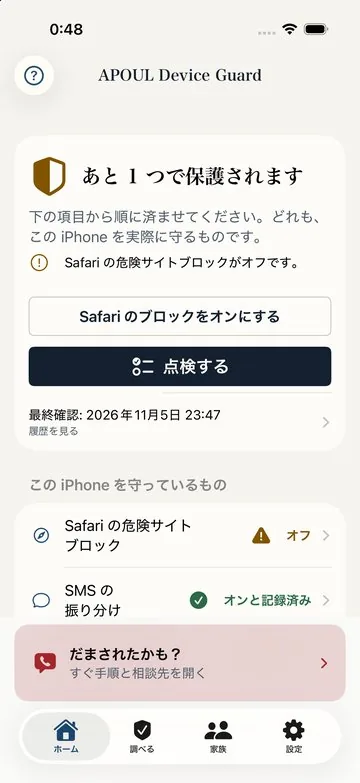
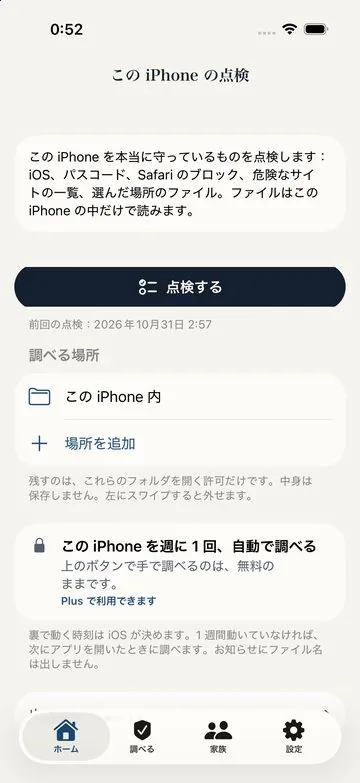
Home: how protected you are now, and the one thing to do next
iPhone check-up: passcode, iOS and more, checked together
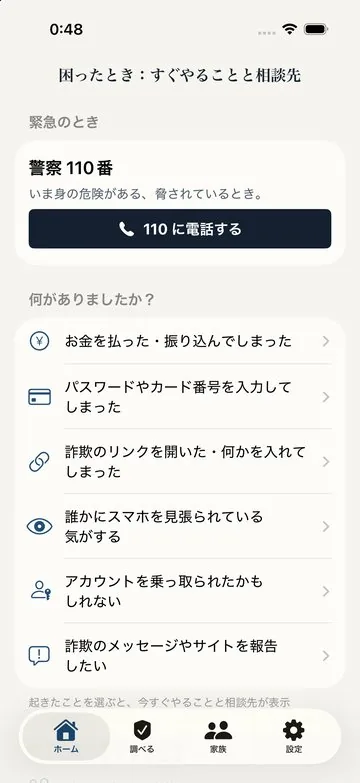
When something goes wrong: pick what happened to see what to do and who to call
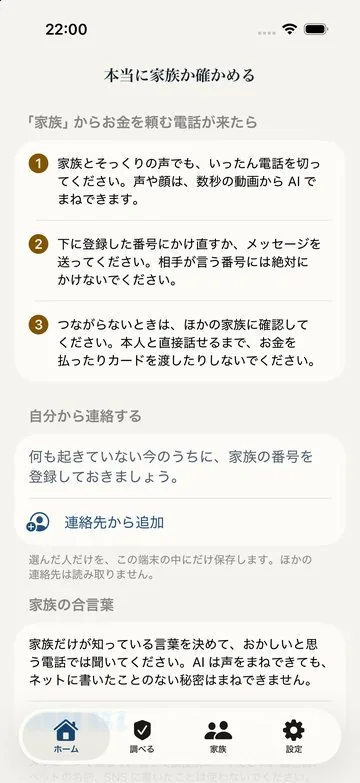
Is it really family? Check with a saved number and a family code word
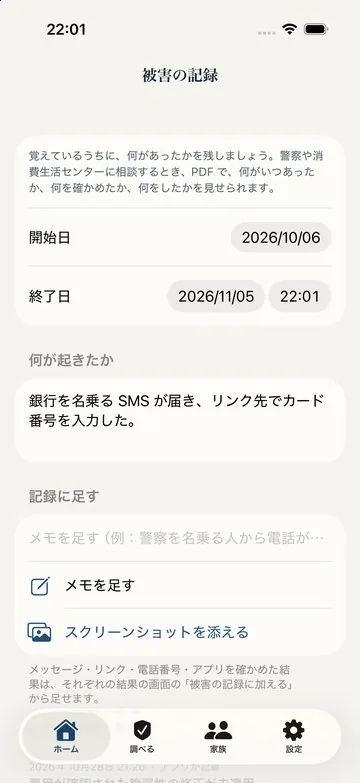
Incident record: note what happened and when, as a PDF to show when you seek help
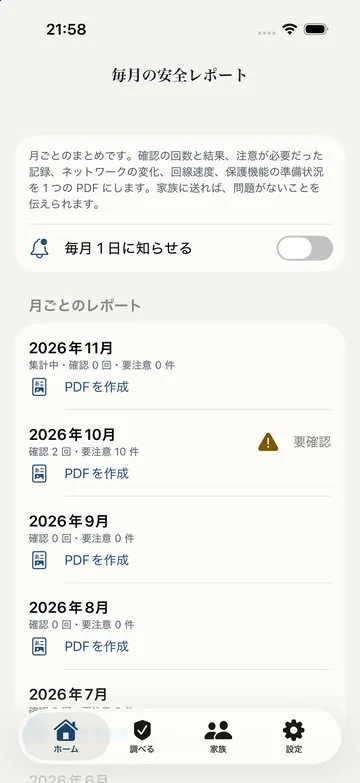
Monthly safety report: checks and results, month by month
What it does

What it does.

01

Check before you open

Check suspicious texts, links, QR codes and phone numbers before opening them, with SMS filtering too.

02

Stop before you send

In Safari, it stops and asks before a password or card number is sent to a page that looks fake or is unencrypted.

03

Help during calls

It explains common scam tricks and shows Japanese help lines: 110 if harm is happening now, or #9110 (police) and 188 (consumer hotline) for advice.

04

Spyware-trace check

It compares records that iOS itself exports (diagnostics and the App Privacy Report) with publicly available indicators — on the iPhone alone.

05

File matching and scan

It scans files you choose, including inside zip files, and flags matches with known spyware and stalkerware files, fake sign-in pages and similar.

06

Tell someone who looks out for you

Only when you choose, share your device’s status (model, iOS version, latest check result and time, and so on) with someone who looks out for you — family or not. Messages and browsing are never shared. Available once the companion app for that person is released. This feature is free.

07

Deeper checks on Mac

The Mac app checks your own connected iPhone in more depth, and can do so on a schedule.

Data and trust

Where this stands.

Coming soon. Supported systems: iPhone and iPad (iOS / iPadOS 18 or later), Mac (macOS 15 or later). The Mac app checks an iPhone connected by USB or Wi-Fi. The release date and prices will be announced on this page and in the news.

Questions

Common questions.

No. Because of how iOS works, no app, including APOUL Device Guard, can scan a whole iPhone (other apps or iOS itself). APOUL Device Guard checks only the places and files you choose, files sent to it, the records iOS exports, and a backup you choose (checking in detail with a Mac backup). It only finds matches with publicly known indicators and files, and finding nothing is not proof that a device is safe.
The files and iOS records you check are neither stored nor sent (the Mac app keeps its check results on the Mac). A few features — such as link checks, connection speed tests and password-leak checks — send only the information they need to outside services, and only when you use them. The app’s privacy policy lists each destination and what is sent. There are no advertising, tracking or analytics SDKs, and we run no servers.
The protective features are free. Some features, such as monthly reports, come with APOUL Device Guard Plus, a monthly or yearly auto-renewing plan. Prices and other details will be shown at launch.
It is being prepared for release. The date will be announced on this page and in the news.
From information published by MVT indicators (MIT License), Amnesty International Security Lab (CC BY 2.0) and Echap stalkerware indicators (CC BY 4.0). The licence notices are also shown in the app. None of these organisations endorses or is affiliated with this app.