In preparationApp for Mac

APOUL Explorer

File work on the Mac — faster, and undoable.

A file manager for the Mac. Copy and move between two panes, rename in bulk and compare folders, while Finder stays as it is for everything else. It is being prepared for release.

In preparationBeing prepared for release. Price, distribution and supported systems will be announced once fixed.
APOUL Explorer app icon
App for MacAPOUL Explorer
  • Mac
  • Works alongside Finder
  • No account needed
Why this exists

How many Finder windows are open right now?

From that folder to this one: windows side by side, drag, and hunt around when something lands in the wrong place. APOUL Explorer brings the work into one window and makes each step undoable, so you can move fast without worrying.

Screens

What it looks like.

Screens show sample data from a development build, in Japanese, and may change before release.
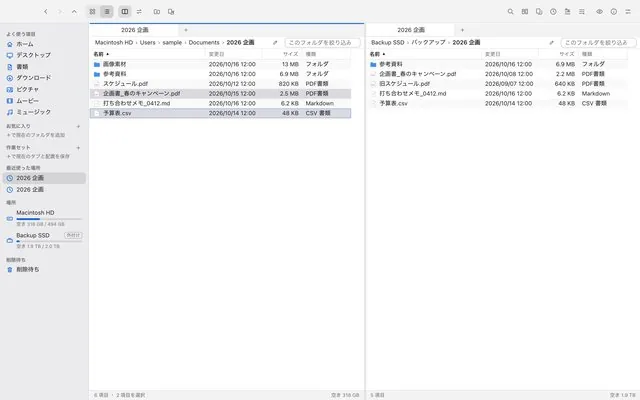
Two panes: a working folder beside its backup
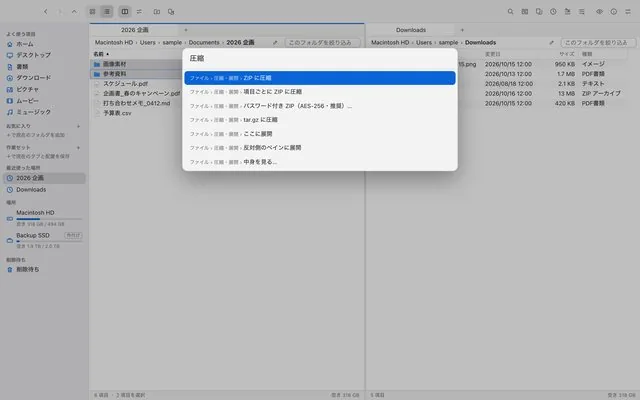
The command palette (⌘K): type “compress” to zip or unzip
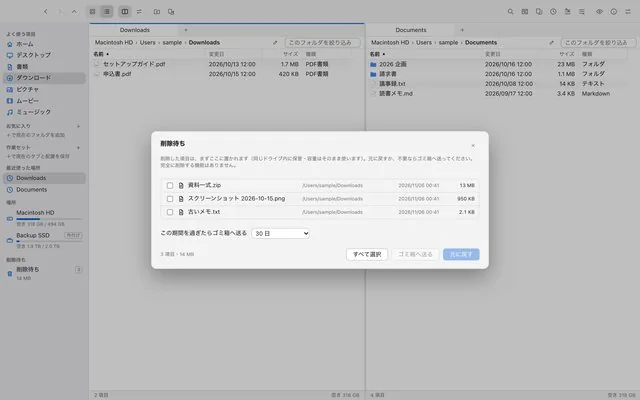
Deleted items wait in a holding area first, and can be put back
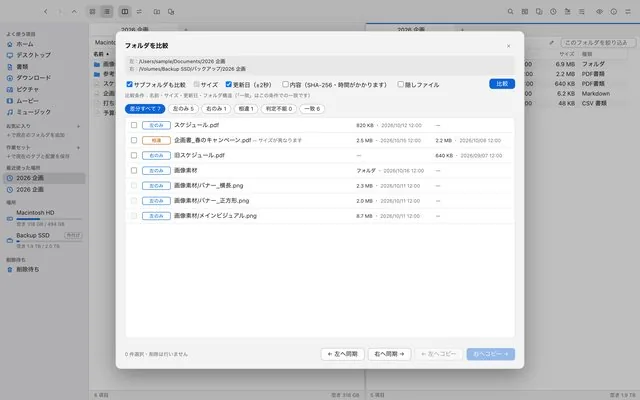
Folder comparison: what is only on one side, and what differs
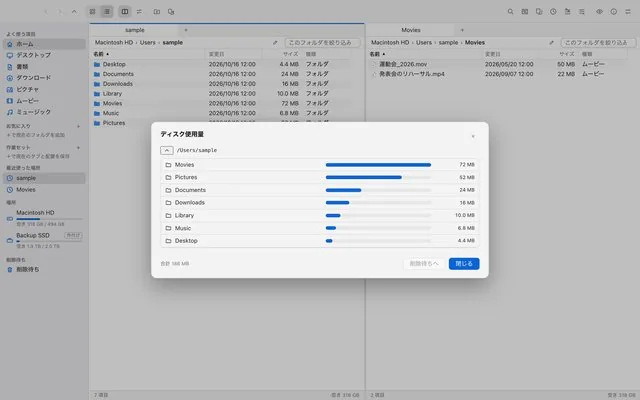
Disk usage: which folders take up the space
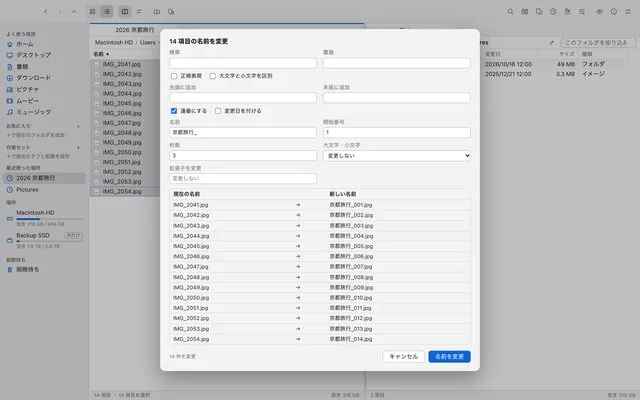
Bulk rename: check every new name before applying
What it does

What it does.

01

Two panes and tabs

Work across two side-by-side panes and tabs.

02

Undoable operations

Copy, move and move-to-Trash can be undone. Nothing is permanently deleted in one step.

03

Bulk rename

Rename many files at once by a rule.

04

Compare and find duplicates

Compare folders and find duplicate files.

05

A holding shelf

A shelf for files in transit, and saved sets for the work you repeat.

06

Zip and unzip

Create password-protected ZIPs and extract a range of formats.

07

Fast from the keyboard

Command palette (⌘K), Quick Look and folder sizes for quick finding and checking.

Data and trust

Where this stands.

Coming soon. Supported systems (planned): Mac (macOS 13 or later). The release date and price will be announced on this page and in the news.

Questions

Common questions.

No. It works alongside Finder; open it when you have sorting to do.
Moves to the Trash can be undone, and there is no one-step permanent delete.
It is being prepared for release. Date and price will be announced on this page.