Open and view
Open photos, videos and image bundles straight from a folder and see them at once.
Your own photos and videos, opened in a moment.
Open the photos and videos already in your folders, without importing them, and view them straight away. Rate and label them, gather similar shots, and go through videos in detail. Nothing is sent off your device. It is being prepared for release.
Terms and policies
The terms of use and privacy policy will be linked here at release.
All terms and policiesThe more photos and videos you have, the longer it takes to reach the one you want — waiting for imports, flicking through piles of near-identical shots. APOUL Media Viewer lets you open a folder and start looking, then sort as you go.
Screens show sample data from a development build, in Japanese, and may change before release.

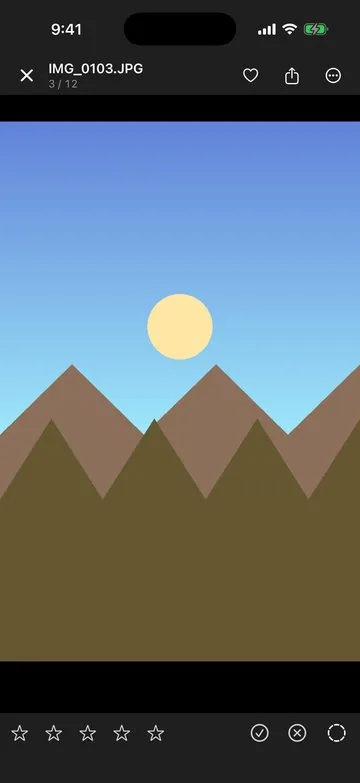
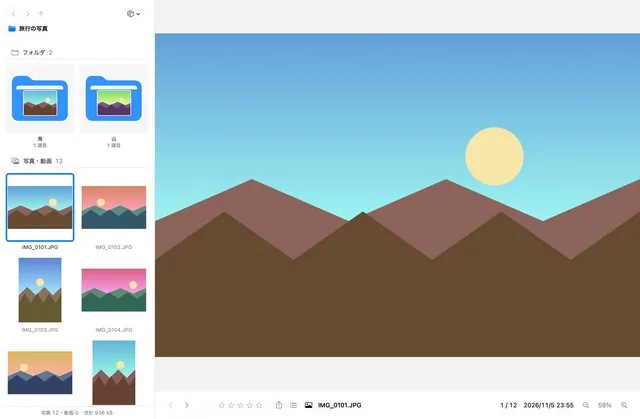
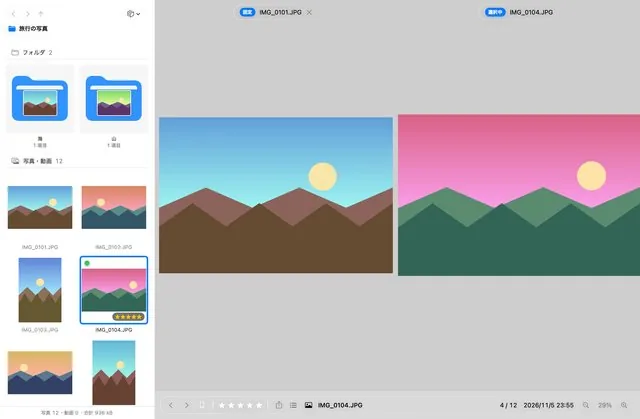
Open photos, videos and image bundles straight from a folder and see them at once.
Sort with star ratings, colour labels, favourites and albums. Your original files are not changed.
Find duplicate and similar photos on your device and tidy them up.
Playback speed, subtitles, A–B repeat, side-by-side comparison and slideshows.
Lock the app with a password, Face ID or Touch ID.
The Mac app adds tabs, search, display on a second monitor, and a setting to keep its windows out of screenshots and screen recordings. Deleting goes to the Trash.
Coming soon. Supported systems (planned): iPhone and iPad (iOS / iPadOS 18 or later), Mac (macOS 15 or later). The release date and price will be announced on this page and in the news.